
At times, brands require deleting reviews from Google. However, it limits eliminating every type of feedback when the reasons for doing so are not strong enough. Google review removal is possible, however, there are restrictions to keep in mind. One can actually aim for their deletion when they are spam, misleading, or even fake. A business can make a request to report these. The platform considers such a request after carefully reviewing it. For this, it checks through a list of policy violations. In sync with these, the request receives approval and the feedback then stops appearing on the Google Business Profile of that brand.

Reach out to us anytime — we’re just a message away !!
We’d love to hear from you! Whether you have a question, feedback, or just want to say hello, our team is here to help.
Schedule a CallCan You Remove Reviews from Google?
It is possible to remove Google reviews only in particular instances. One cannot delete them if they are bad or negative. The criterion goes beyond that. Unless they violate the policies of the platform, completely getting rid of them is a challenge. Assuming that they are genuine but not positive, their visibility is less likely to be affected.
What can You Actually Remove from Google Reviews?
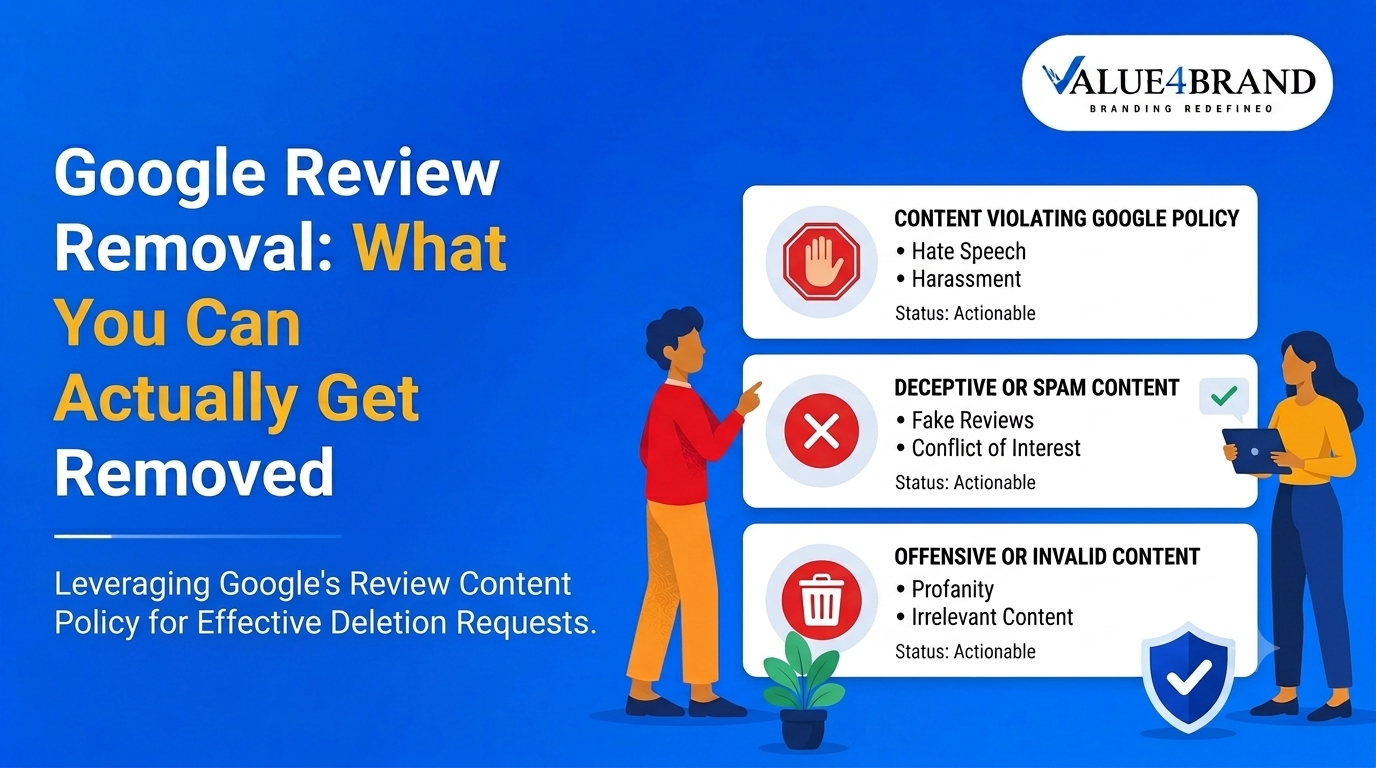
A business or brand can opt for Google review removal when it seems fake, spam, abusive, or incorrect. It can try to eliminate feedback from users that reveals any personal or sensitive information. Besides, it can request for the removal of data that has been posted by a competitor incorrectly.
How to Remove Fake Google Reviews?
In order to remove a review from Google, one should start by confirming whether it is fake. To do so, check the user who has posted it. Verify his/her profile and the nature of the content posted. After confirming that it needs deletion, flag the content, appeal to the platform, or get professional help.
To further learn how to remove fake Google reviews, follow these measures:
Request for Feedback Elimination
At times, it is helpful to submit a request to get rid of a specific review that isn’t genuine. Using the review management tool by Google, one can proceed with this measure.
Sign in to the tool and see to it that it is linked to the Google Business Profile account. Choose a review for removing it. In case there are multiple reviews, then place requests one by one. Fill in the reason for reporting these. Then continue to submit them.
Note that the tool can provide the option to track the status of requests. This feature can help identify whether or not these have been approved.
Directly Flag Customer Reviews
For deleting customer feedback that appears fake on the search engine, a business can flag it. It is similar to reporting it when its content seems spammy, incorrect, or even abusive. To carry out this measure, use the Google Business Profile. Then simply report Google reviews.
Utilize the Support Feature
Google Business Profile Support is a useful feature that can enable a business to limit the visibility of false reviews. In the event that a prior request is not successful, one can rely on this option for the necessary help.
- On a browser, look for “Google Business Profile Help Center”.
- Now, sign in using the Google account linked to the review.
- Press either the “Contact Us” button or click on “Tell Us More”.
- Then opt for “Manage Reviews”.
- Here, describe the reason for deleting the feedback.
Choose from the available options to connect with the support facility. One can send an email, chat with an executive, or request a call to discuss the issue further.
Contact Professionals for Help
When a business needs to remove spam, misleading, or ingenuine reviews, it should connect with a professional online reputation management agency. Agencies like Value4Brand can help remove or report Google reviews through a number of tactics.
- Such a company can evaluate strong reasons for eliminating customer feedback.
- It can document requests with a higher scope of consideration.
- Through experts, it can manage the removal process end-to-end within less time.
How to Remove Reviews that Violate Google Policies?
For deleting a review, check the list of restricted and prohibited content guidelines of Google. Of these, find out which specific feedback violates one or more policies. Commonly, the violations can range from the use of hate speech to leaking out sensitive information.
Report the Review
After identifying the feedback that violates a policy, the next step is reporting it. For this, open the Google Business Profile. Here, look for the feedback that is not required. Continue to report Google reviews by selecting the particular policy’s violation. Finally, submit the request.
Wait for Elimination or Appeal to the Platform
Once a business flags user feedback and sends a request for its deletion, it should hear from Google soon. The platform will inform ahead whether or not the request will be taken into consideration. In case required, appeal to the platform.
- One can send across a one-time request or an appeal when Google limits deleting a review.
- It is of use to include supportive evidence that makes the request strong.
In Summary
Owing to several reasons like the disclosure of confidential information, a brand may want to delete customer reviews from Google. For this reason, it is important to know how to remove fake Google reviews to limit their visibility. But keep in mind what can actually be eliminated to rightly make use of one-time appeals or requests on the platform.